'/%3e%3cellipse%20cx='512'%20cy='512.75'%20rx='292'%20ry='281.75'%20fill='black'/%3e%3cellipse%20cx='726.75'%20cy='326.25'%20rx='64.25'%20ry='65.75'%20fill='%23D9D9D9'/%3e%3cellipse%20cx='634.75'%20cy='420.5'%20rx='27.75'%20ry='28.5'%20fill='%23D9D9D9'/%3e%3cdefs%3e%3clinearGradient%20id='paint0_linear_2_6'%20x1='164'%20y1='892'%20x2='884.75'%20y2='159.75'%20gradientUnits='userSpaceOnUse'%3e%3cstop%20stop-color='%236F00DD'%20stop-opacity='0.75'/%3e%3cstop%20offset='0.785'%20stop-color='%235B42E2'/%3e%3c/linearGradient%3e%3c/defs%3e%3c/svg%3e)
SeerrTV
An Android TV app for Seerr, Overseerr and Jellyseerr. Browse what is out there, read everything about a title, and request it without leaving the couch or picking up your phone.
Point it at your server and it works out which of the three you are running. Playback hands off to your existing Plex, Jellyfin or Emby setup.


A look inside
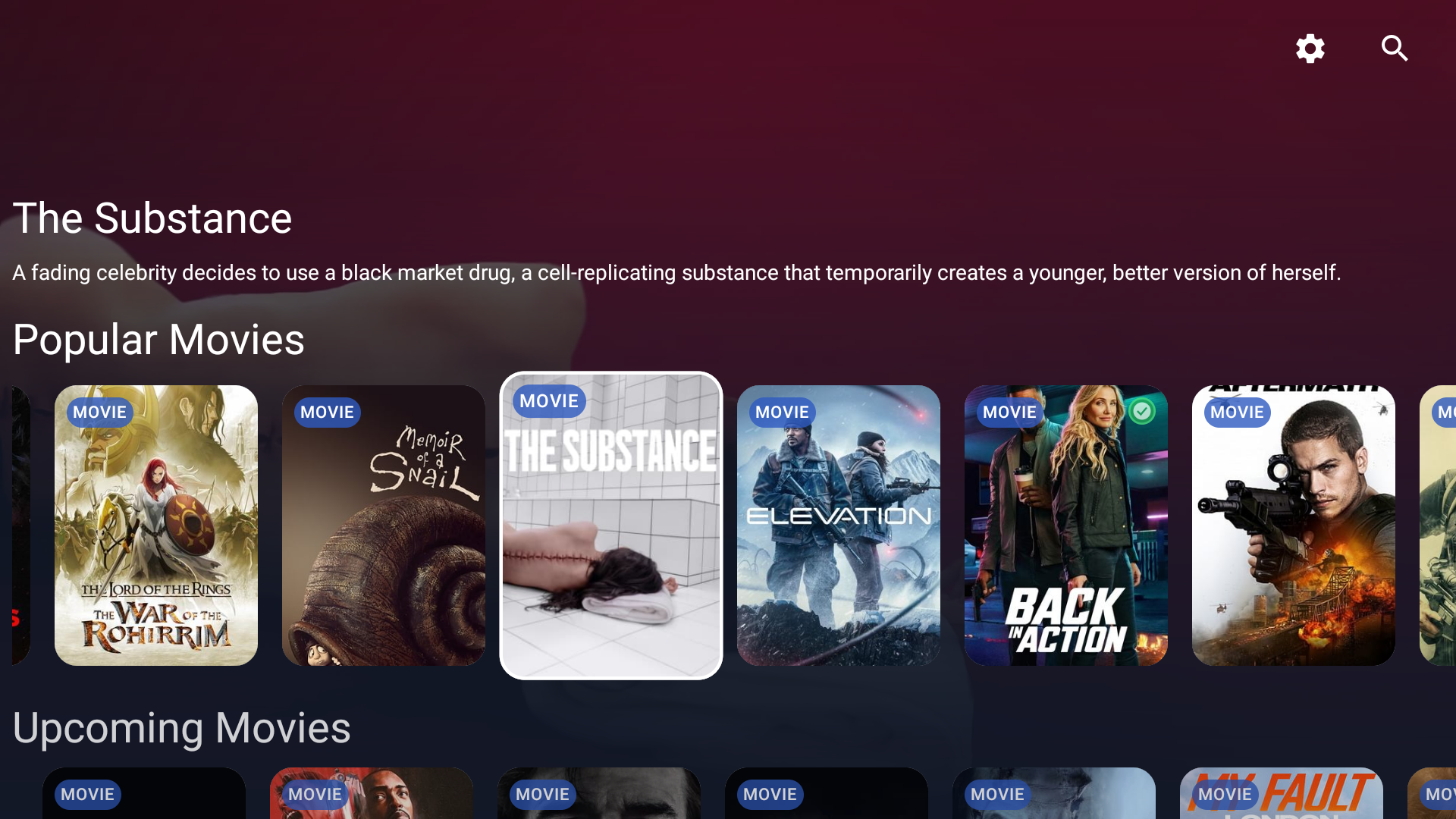
The home screen
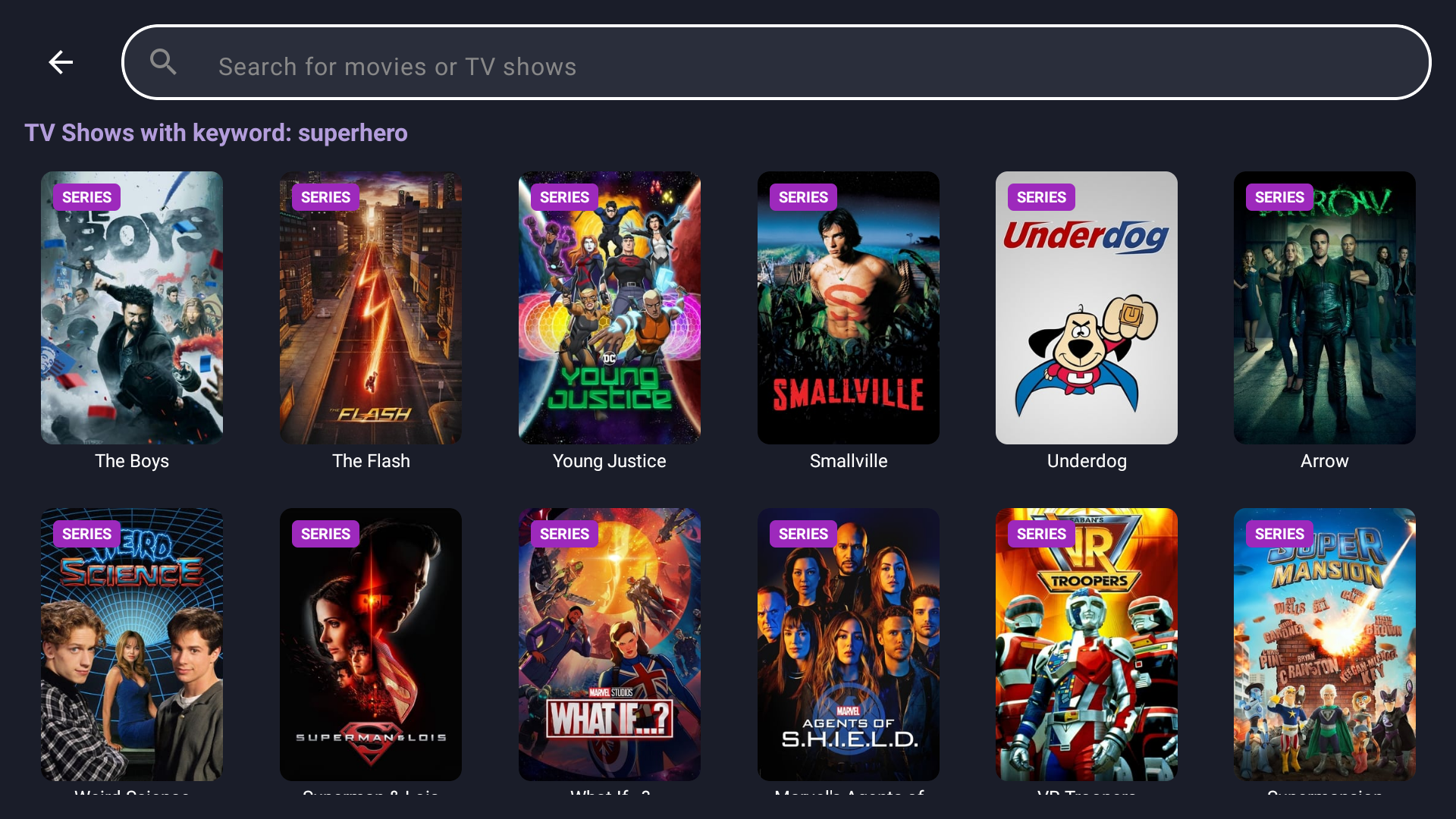
Search as you type
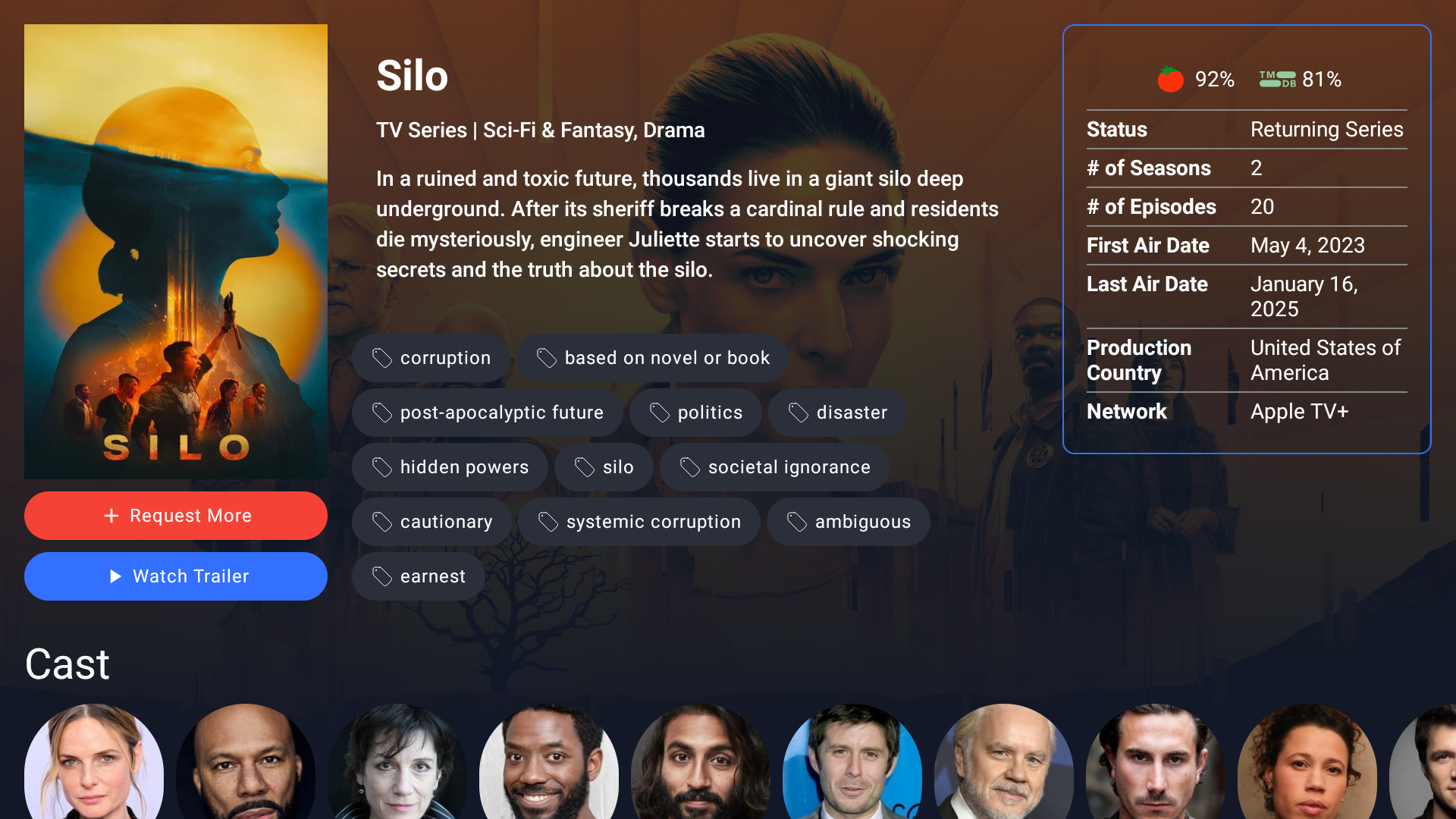
Everything about a title

Trending now
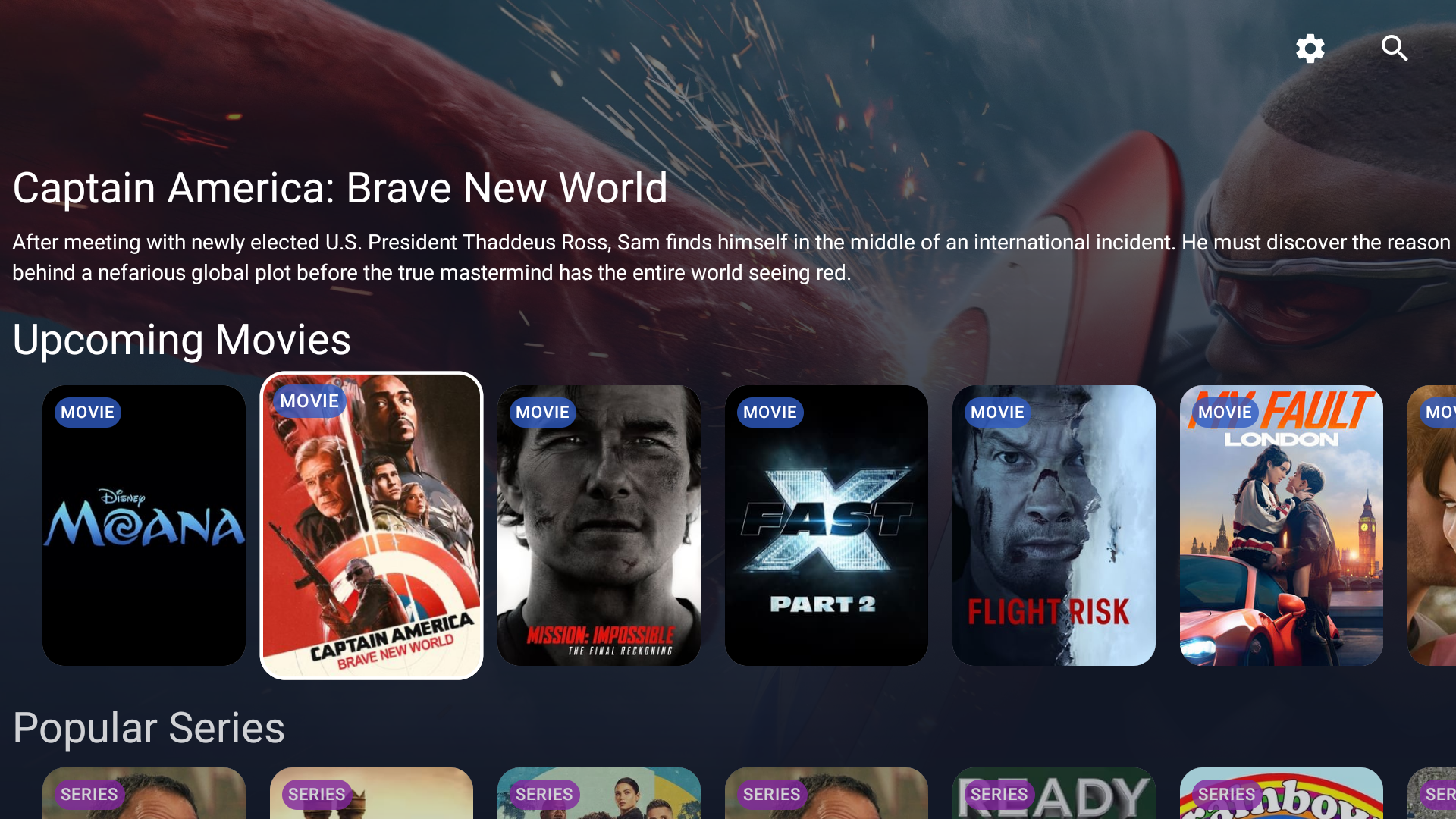
Coming soon
Built for the remote
Every screen is driven by the D-pad, with focus that lands where you expect and a grid that remembers where you were when you come back from a title. Search returns results as you type.
Movies and Series each get their own browse grid, with more than a dozen filters behind them: genre, keyword, original language, content rating, runtime, user score, vote count, studio, network and streaming service. Sort by popularity, release date, rating or title, in either direction. More results page in as you scroll.
Everything about a title, then request it
Cast, crew, ratings, theatrical and digital release dates, and related titles worth falling into. Trailers play either in the YouTube app or in a full-screen player you can scrub with the D-pad.
When you request, you get the options your server actually offers: HD or 4K, which Radarr or Sonarr server it goes to, the quality profile, the root folder, tags, and which seasons of a series you want. Then watch the download progress from the same screen.
What else it does
Requests, start to finish
Status and download progress refresh on their own. Administrators can approve or decline what is pending, and delete a request or the media behind it, all governed by the permissions your server already gives each user. A series missing its TVDB id gets an interactive Sonarr lookup with posters rather than a dead end.
Report what is broken
Bad audio, missing subtitles or a file that will not play gets reported from the details screen: pick a category, narrow it to a season or episode, and add a description. Issues carry threaded comments and an open or resolved status, and the details screen shows how many a title has.
A profile for everyone
Create several local profiles, each bound to its own server configuration, so the household is not sharing one login. Each gets an avatar and an optional numeric PIN, and keeps its own language, region and clock settings. Pick a profile at startup; switching signs in again as that user.
Play it, or save it for later
Anything already on your server hands off to Plex, Jellyfin or Emby to play, including Emby's separate Android TV and regular Android apps. On Jellyfin and Emby profiles you can add and remove titles from your watchlist without leaving the details screen.
Ten languages
English, German, Spanish, Estonian, French, Hungarian, Japanese, Dutch, Portuguese and Chinese. The interface language is set separately from the language your discovery results come back in, and either can be changed from Settings without restarting the app.
Or make it the home screen
There is a launcher build that replaces your TV's home screen entirely, with a row of your other installed apps along the top. Install it instead of the standard app, or alongside it, and Home opens straight into your library.
Works with what you already run
- Request servers
- Seerr, Overseerr or Jellyseerr. The app detects which one you are running during setup.
- Signing in
- API key, a local user account, Plex via a plex.tv/link PIN, or Jellyfin and Emby credentials.
- Getting set up
- Scan a QR code and finish in a browser on your phone, or work through the on-screen wizard with the remote.
- Behind Cloudflare
- Servers protected by Cloudflare Access can be reached with service token authentication.
- Devices
- Android TV running Android 6.0 or newer.
Free and open source
SeerrTV is MIT licensed. It started at devmesh and is now community-driven, developed in the open: bug reports, feature requests and pull requests are all welcome on GitHub, and releases are announced in the Seerr community Discord.
Install from Google Play and updates arrive on their own. Prefer to sideload? The direct build checks GitHub Releases and updates itself.